Share Tabs.
Play in Sync
with Your Band.
The free band rehearsal app — Create a jam room, upload Guitar Pro tabs, invite your bandmates, and play in sync across multiple devices.
How It Works
Next steps to get your band playing
Once you've created your jam room, you're just a few clicks away.
SynchroJam works entirely in your browser, nothing to install.
Upload your tab file
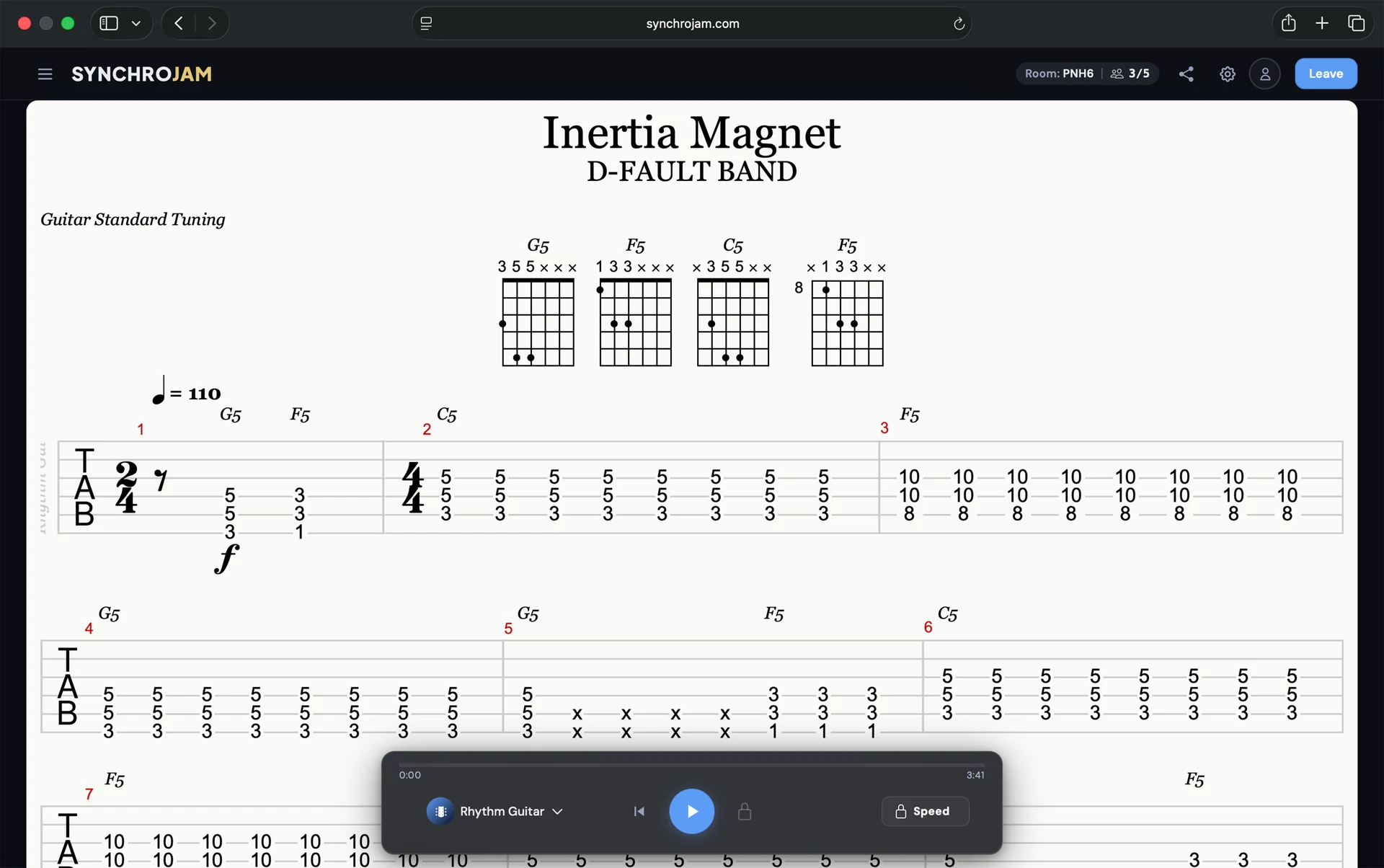
Drop in any Guitar Pro or MusicXML file. SynchroJam loads all the instruments and notes instantly.
Invite your band members
Send a shareable link or 4-digit room code. Your bandmates join the session instantly, no sign-up required.
Press play, stay locked in
SynchroJam has your whole band following the same bar at the same time, completely in sync.
One tab file for your whole band
Every instrument track lives in a single tab file. Each musician selects their own track and the whole band plays together.
Works on Any Device
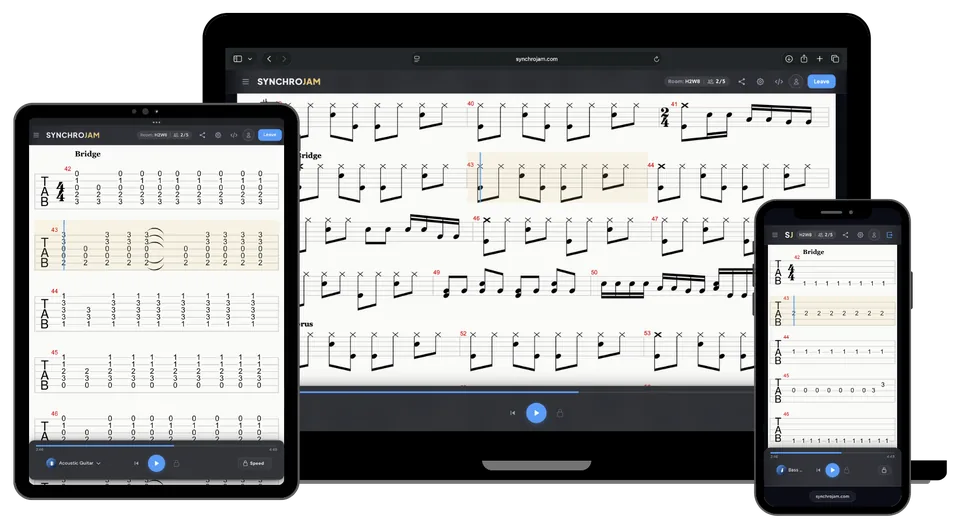
SynchroJam runs in the browser on any phone, tablet, or laptop. Nothing to download or install.
Playback Controls
Adjust playback speed, transpose pitch, and loop any section to drill the parts that matter most.
Real-time Sync
A shared countdown locks everyone to the same beat. The whole band drops in at once, every time.
Track Selection
Pick your instrument and the tab shows just your part. Each bandmate follows their own tab.
Metronome
The tempo is built into your tab file. The metronome keeps the whole band locked to it automatically.
Audio Playback
Built-in MIDI playback brings your tab to life. Mute any instrument and focus on your own part.
Stop rehearsing apart and start playing together.
Nothing to install and free to start. Create a jam room and have your whole band play together right now.
Pricing
Choose your plan
No credit card. No commitment.
Guest
Free
Pro
Everything you need to know
Still have questions? Reach out at hello@synchrojam.com
SynchroJam is a web-based music collaboration platform that lets bands and musicians share Guitar Pro tab files and rehearse together in real time. Each band member can follow their unique part of the song allowing guitar, vocals, piano, and drums to be synchronized during live rehearsals and performances.
SynchroJam supports Guitar Pro files (*.gp, *.gp3, *.gp4, *.gp5, *.gpx) and MusicXML files. Simply drag and drop or select your file to upload it into your Jam Room.
Yes — SynchroJam is free. Guest users can create a Jam Room instantly without signing up and invite up to four bandmates for a 48-hour session. Creating a free account removes the time limit, gives you a permanent Jam Room, and unlocks a 3-song setlist. A Pro plan is available for bands that need more storage and larger sessions.
Create a Jam Room and upload your Guitar Pro or MusicXML file. Then send your bandmates the invite link or the 4-digit room code — they can join instantly, no sign-up required.
Each bandmate picks their own instrument track, so everyone follows just their part of the same tab file.
You can create a Jam Room as a Guest and share with up to four friends. You can upload one Guitar Pro tab at a time and synchronize playback of individual music tracks for up to 48 hours before your Jam Room disappears.
When you create a SynchroJam account you get permanent access to your own personal Jam Room, a 3 song setlist of stored tabs, and additional unlocked features with more being added over time.
Sync up with your band anywhere, anytime. SynchroJam works with most modern browsers on your phone, tablet, laptop, and more to ensure all members of your band can use their preferred device to follow along.
Take SynchroJam with you to band practice or jam sessions to learn new songs together or to your gig to follow along during tricky parts of songs or just to keep in perfect sync.
When you press Play in a Jam Room, SynchroJam broadcasts the playback position to every connected bandmate in real time. Everyone's score scrolls and highlights in perfect unison regardless of their device or location.
No. SynchroJam runs entirely in the browser on phones, tablets, and laptops, so there is nothing to download or install. Bandmates open the invite link and they're in.
Ready to try SYNCHROJAM?
Free to start. Nothing to install.